Click. Scroll. Swipe.
Use your mouse or trackpad to get around your iPhone.
Details
Open an app, drag to swipe, and scroll through a conversation. Home, notifications, Control Center and Siri are available from Mirro’s controls.
Do anything on your iPhone
Straight from your Mac.
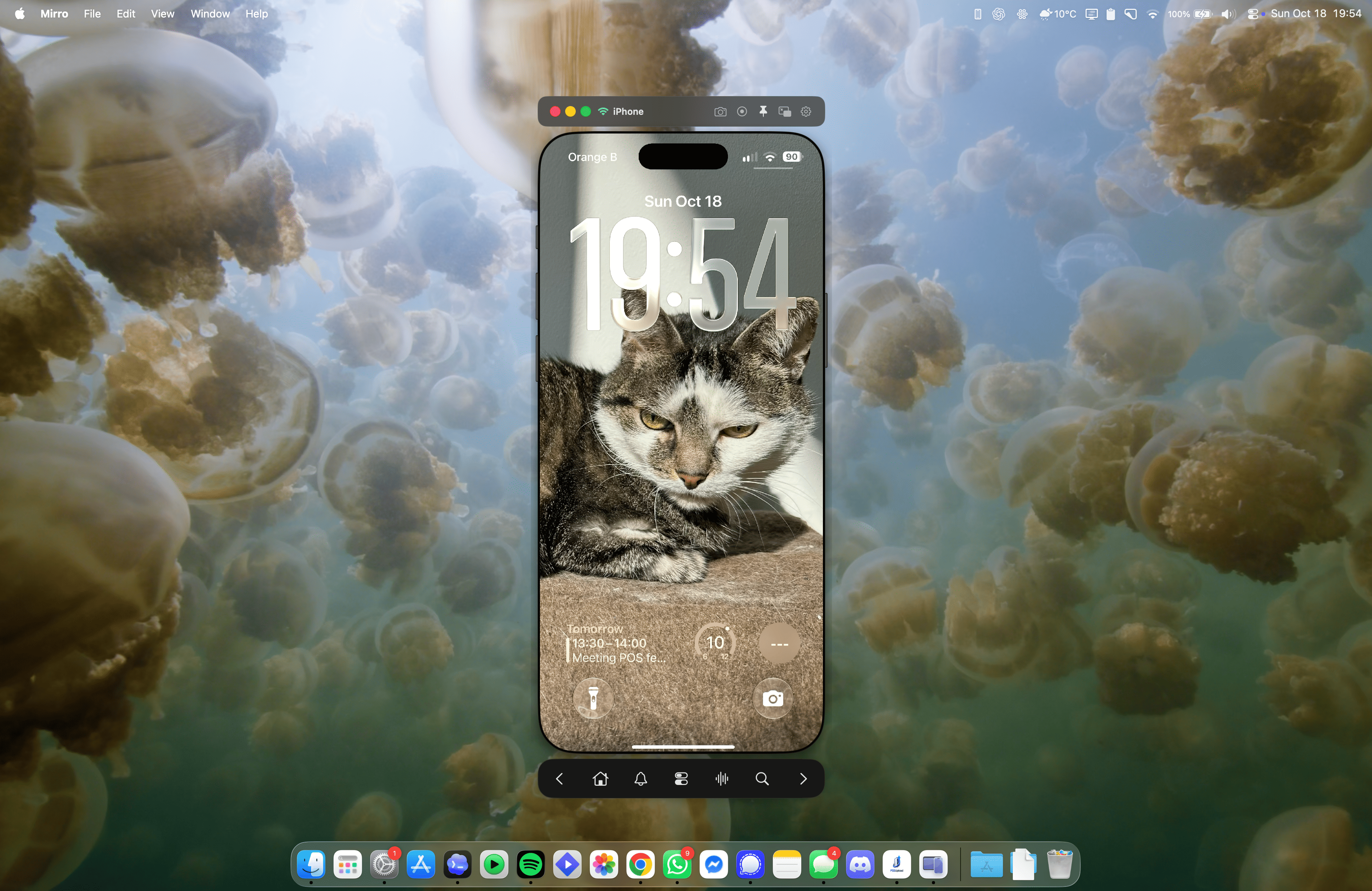
One familiar workspace. Your iPhone, right there.

Apple’s iPhone Mirroring is still unavailable in the European Union. With Mirro, use iPhone mirroring without compromises. Keyboard input, gesture navigation, screen recording, and more. Straight from your trackpad, mouse, and keyboard.
Independent software. Check your setup
Apple’s current availability informationUse your mouse or trackpad to get around your iPhone.
Open an app, drag to swipe, and scroll through a conversation. Home, notifications, Control Center and Siri are available from Mirro’s controls.
Type into iPhone apps from your Mac.
Use your Mac keyboard for everyday text. The text composer handles accents, emoji and input methods. Secure fields and some apps can limit input.
An iPhone window beside the work you’re already doing.
Resize the viewer, keep it on top, or hide the preview when you need your space back. Your Mac desktop stays your Mac desktop.
Use what’s on your iPhone. No second copy to install.
Mirro controls the connected phone itself. Your conversations and apps remain on that phone. Protected content may not appear in the mirrored view.
Keep an iPhone app beside your Mac work. Open what you need, use your keyboard, and carry on.
Your apps. Open what’s already on your iPhone.
Your controls. Click, scroll and type from your Mac.
Your space. Keep the window close, or hide it for a moment.
The first connection takes a little setup. Mirro walks you through it.
Open the Mac app and follow the setup guide.
Pair it first through USB.
It takes less than three minutes to get going.
No monthly bill for keeping your phone in reach.
You get a 10-minute trial to make sure it all works on your devices.
About the license
Lifetime license
Try ten minutes of connected use before buying.
Price is tentative. Taxes and final terms at checkout.
The current Mac build requires Apple Silicon and macOS 14.4 or later. The app targets iOS 26 or later and requires a few settings changes to your iPhone. Use the free trial to confirm your exact combination before buying.
Keep the iPhone unlocked during setup and use. You can wake and unlock your iPhone wirelessly and take control immediately after entering your passcode using the keyboard.
Yes, after the first USB pairing and setup, Mirro can be used wirelessly on the same Wi-Fi network. Image quality may vary depending on connexion quality, but overall it works pretty well with average network strength.
The mirrored screen travels over the local connection between your Mac and iPhone. Mirro does NOT relay your screen through a video server. No information is transmitted during use. Setup downloads, license activation and checkout use online services. See the privacy policy.